Category Archives: Tips

Email. Does it rule you or do you rule it?

Are you the master of your email inbox or is it the master of you?

For me, it’s definitely the latter. Email no longer serves my needs. In fact, I find myself scrambling daily to keep up with the demands of an overflowing email inbox. And this sucks productive time away from me.

The simple fact is that I no longer can keep up with all the email I receive – unless I want to make reading and responding to email a full time job. And I can’t. So, what have I done? I’ve resolved to budget the time I spend looking at my inbox in the same way I budget the time I will allocate to meetings and other tasks. I do what I can in the available time. And then I move on to my next priority.

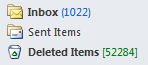
And the upshot of this approach? As I write this post, I have over a thousand unopened emails. That’s not email I’ve read and put aside. That’s email I haven’t even had the time to open.

Every email in my inbox draws on my time. Even to read enough of an email to decide that I can safely delete it without response or action takes time. Time away from more productive work.

So, where does that leave me? What am I doing to try to deal with this problem?

Well, more than anything else, I’m trying to move much of my communication back to face to face meetings or over to video: I encourage people I work with to divert issues that might be contentious or require discussion to face to face meetings or Skype video calls and Google+ hangouts. If something needs to be tossed back and forth or common understanding created, seeing the other person’s face, being able to read their emotions and converse face to face can’t be beat. This leaves email only for those issues that can be dealt with by a simple yes or no response. And it removes much of the back and forth of long email strings in which people try to argue complex issues. If it’s complex or contentious, take it face to face either in the real world or via video call.

Another huge email problem is email’s impact on work-life balance. Rarely does a colleague phone me outside of working hours. A phone call makes them work too hard. If I answer, then they have to work through the discussion with me in real time. And the telling thing is that most will leave this until the next day, during working hours. But that’s not the case with email. It’s all too easy to “dump and run,” to send an email with a problem or request to someone. At any hour or day of the week. Once you’ve done this, it has become someone else’s problem. You’ve offloaded it. And you’ve violated their private time. It doesn’t matter if they respond when they receive it. The very fact that you’ve sent them a work email outside of working hours has pushed work into their private time. And if it’s a problem or troubling news you’ve sent them, you can be sure they’ll worry about it. That’s just not good.  I try not to be part of this problem. I tell the people I work with to not initiate any emails outside of working hours. Yes, I work at all hours, evenings and weekends. But I routinely save emails I write outside of work hours in my draft folder. Then when I arrive at the office the next morning, I open the draft folder and send all the emails that are sitting there. They’ll be waiting for people when they arrive at work. When they can actually deal with them.

Does every email have to be responded to? In a word, no. We treat email like a phone call. We fell obligated to respond to every email just as we feel obligated to return phone calls. We must change that perception. In a world in which email flow has overmatched the time we have available to deal with it, we have to accept and become comfortable with the norm that many emails will not be responded to. And the sender must realize that if an email is important and unresponded to, they must reach out to the recipient via another medium. A phone call. A personal visit. An IM. A tweet. Whatever works. But simply sending an email saying, “Did you receive my earlier email?” is about the most ineffective thing you can do. Email has become a flow, just like Twitter or RSS feeds. And it’s up to the sender to be sure that they connect with me on the important material.

And that leads to the next rule I observe: Communicate in the medium the person you’re trying to reach prefers. We’ve all been conditioned to expect that email is the default business communications medium. Let’s change that. The best communications medium is the one that works best for the person I want to talk with. So, I should be sensitive to this. Find out what works for the other party and use that medium. Yes, you’ve spotted the contradiction here. Even though I have difficulty keeping up with email, if someone I want to reach prefers to hear from me that way, I’ll bow to their wishes and use email. It’s the other party’s wishes that count, not mine.

(Here’s an idea for a social media update service: A daily update that lets me tell people how I prefer to be communicated with. Something that I can easily change to match my circumstances. Something that is easily found and attached to my personal profile across social networks. If you build it, I’ll use it.)

One topic. One email. I just don’t understand why people believe that they should write emails that cover every possible topic – and then ask me to comment. I may find that I can easily agree with half of what they write. But I may need to give more consideration to one point. And so, I’ll put the email aside to be responded to later – which may be never. One topic. One email. That’s the best way to ensure you get a response.

Finally, I turn off push notifications from email - on my PC, on my handheld, on my tablet. Those constant niggling alerts are a good idea only for the people who design the email programs. But for the user, they kill productivity. Having them turned on is just like having a group of people sitting behind you, each tapping you on the shoulder at random times. Every time you’re interrupted, it takes time to get back in the flow of what you’re trying to do. So, I just eliminate those interruptions by turning off the darned alerts.


I’m not alone in struggling with this problem.

I know I’m not alone in struggling with email. Fred Wilson recently wrote about The Black Hole of Email and MG Siegler ranted that he Still F***ing Hate[s] Email.  And in this week’s Inside PR, Martin Waxman and Gini Dietrich share their frustrations with email and also what they do to try to manage it.  Gini also has written her own take on the ever-looming inbox.

Do you have email under control or does your email inbox control you? What practical strategies do you employ to make email work for you?

Protect yourself against online fraud during the holidays and every day

The Internet opens a world of possibility to each and everyone one of us – the possibility of finding anything we want, regardless of how obscure, the possibility of forming communities of interest with longtime friends and new acuaintances, the possibility of conducting business and shopping online. All from the comfort of our offices, our homes or anywhere that we carry a smartphone.

iStock_000003413901XSmallBut the Internet also provides a playground for those who would take advantage of our trust.

When I signed onto my online banking site this morning, I noticed a link to a “Special Holiday Alert.” The link led to a page of advice on how to avoid being duped by online scammers. As I read it, I realized that this is good advice not just for the holiday season but year round.

Good advice on staying safe online that I want to share in its entirety.

(And a hat tip to RBC for acting like a true partner with their customers. No hard sell here. Just useful information that will help us all enjoy the benefits of the Internet.)

Avoid Getting an Unwanted Surprise this Holiday Season!

It’s the holiday season, traditionally a time of celebrations, joy and goodwill. Not all holiday traditions are pleasant ones, though. Holidays are also a time when fraudsters increase their efforts to give gifts to themselves – gifts of your credit card information, your social insurance/social security number, your money and your identity.

During this holiday season, consumers need to be mindful about widespread online scams. Ensure your computer protections are up-to-date, avoid shopping on public computers such as those in internet cafes and libraries and follow these easy steps to help protect yourself:

Spoofed Shopping or Auction Websites
Always be extremely wary of anything online that looks “too good to be true”.  It’s not only during the gift giving season that fraudsters will send emails or post websites promising “amazing” discounts on luxury or everyday gifts. By trusting these offers you could end up buying items that you never receive and putting your credit card information into the hands of fraudsters. Avoid those emails and website links. Instead, independently go to any reputable company’s website. If the deals are legitimate, you will find them on that site.

Social Networking Sites’ scams
Always ensure you limit the information that you put on social networking sites and don’t automatically trust all “new friend requests” you receive. Social networking sites give fraudsters a wide audience for their scams. Some of the current trends are bogus email requests from a “friend” who is travelling and needs money wired to them for a “medical emergency” and deceptive “new friend requests” that contain links which, if you click on them, will download malicious software that will steal your personal information. Independently verify any request for “emergency funds”, i.e. don’t use the email address or phone number that you received the request from.

Email Scams

Avoid unsolicited emails that request any action on your part which involves divulging financial or other personal information or your sending money in order to receive money or goods.

Phishing emails: NO legitimate financial institution will send you a website link or phone number in an unsolicited email, asking you to confirm or enter any of your account or login information.
NO legitimate credit card company will send you a “transaction warning” with a website link or phone number, in an unsolicited email, asking you to confirm your account information.
NO legitimate financial institution will request that you send money in order to facilitate an online transfer, i.e. supposedly to bring your transfer amount up to a “minimum transfer limit”.
Even if these look convincing, these are scams. If in doubt, contact your financial institution or your credit card company using contact information that you’ve independently obtained.

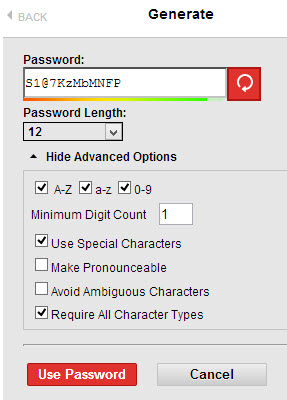
Password Stealing Scams: Password theft remains a popular online scam as the financial rewards to cybercriminals can be immense. Do not click on links or attachments from unsolicited emails, to help avoid downloading password stealing software. A safeguard to follow is to always use different passwords for online bank accounts and for anything that contains your credit card number or other personal information.

Charity emails: Many of us take pleasure in giving to charitable organizations at this time of year. Be cautious of emails that appear to be from legitimate charitable organizations, but take you to fraudulent websites that will steal whatever personal or financial information you enter onto the site. Ignore these emails and independently go to the valid website for your charity of choice.

Job-related emails: During the holidays, there is also unfortunately a rise job-related email scams. Be wary of job opportunities that require initial start-up fees. Be on your guard for phony recruiters and employers that request personal or financial information prior to your commencing “employment”. Instead of a job, you may find your personal information, and your money, stolen.

Phony “Delivery Charges to Release Package” emails: Delivery Service companies do not request, via unsolicited email, payment or personal information in return for goods that are in transit or being held for you. Do not respond to these emails or click on any links within them.

Holiday-Themed emails: holiday e-cards and websites with cute holiday-themed downloads are tempting “clicks” during this season. But malicious code may be lurking behind those links. Always be careful what sites you access and what email links you click on.

rbc3dTo help stay safe online during the holiday season, be careful what you access (see “Cyber Criminals”). Use a little caution in your online activity and when in doubt, take the time to verify email requests that you receive, before you act on them.

Have a safe and happy holiday season!

Thanks again RBC. You earn my trust each and every day.

A post worth bookmarking: Lorelle’s resources for bloggers

I rarely publish link posts anymore (Twitter has become my preferred way to point people to interesting posts.)

But here’s one post that just so chock full of valuable information for bloggers that I just have to point to it.

Lorelle VanFossen has posted an extensive list of Blog Resources for English Language and Blog Writing.

Guides for better writing, avoiding clichés, English errors, Emoticons(!), double entendres, acronyms – you name it and Lorelle has compiled a list of references to help us.

Thank you Lorelle. This post is priceless.

Why I’m posting less frequently

Writing BlockWhen I first started blogging, I listened to advice that told me I should post at least daily and ideally more than once per day. As well, I was told that short posts are much better than long posts.

In the past half year, I’ve started to stray from this course. If you’ve been reading my blog for a while, you’ve probably noticed that I may fail to post on some days or even several days. And without doubt, most of my posts, are creeping up in length.

Why am I changing my ways?

Well, the first reason is based in how I select the blogs and posts that I make time to read. There is simply too much information out there that I would like to read and not enough time to read it all. So, I have to practise a form of triage on my subscriptions. I’ve realized that the blogs that I am most likely to unsubscribe from are those that have too many “me too” or trite posts.

There is a place for the quick one liner and simple observations: Twitter. I look there for quick pointers to interesting things. But I expect the blogs I read to provide something more profound.

This leads me to the second and more important reason I now post less frequently.
It’s become clear that the quality of my postings, not their frequency, drives both subscriptions and links to my blog. (How’s that for burying the lead?) I’ve realized that people are not reading me for the latest news. I believe they’re reading me in the hope that I will offer a distinct and thoughtful perspective on a topic they care about.

I can be offline for several days and return with a thoughtful original post – and what happens? The visits to my site will immediately jump back to the level they were at before I took my break. Of course, if I return with a “me-too” post, something which merely parrots things I’ve hear in the echo chamber, the audience will not engage.

So, seeing this, I’ve decided to post less often, to write only when I have something original to say. It may not be profound. But if it reflects my perspective in an honest and clear way, I know that the people who read my blog will return and continue the conversation with me.

UPDATE: Chris Moore skewers me for posting about not writing trivial posts. A good reminder that what’s important to one person carries little weight with another. :-)

Get more out of your Web Browser

FirefoxFirefox and IE7 are the first applications I open when I turn on my computer every morning. And they are the last applications I close when shutting down at the end of the day. I use them far more than any other software on my computer.

Yet, like most people, I didn’t read any help files for these applications. I relied on intuition and trial and error to learn how to use them.

So I’m pretty jazzed that Lorelle VanFossen is publishing a series of posts that will provide a Web Browser Guide for Bloggers. She’s providing detailed advice for both of the two most widely used browsers, IE7 and Firefox. So, this series should be helpful to almost anybody who uses a browser (that means all of us.) Her second post this morning provides a good overview of the parts of the browser, including a number of useful tips for using them more effectively. For example, thanks to Lorelle, I now know a number of keyboard shortcuts for frequently repeated commands. No need to move my hand from the keyboard to the mouse.

Internet ExplorerSo, if you are like me and spend a good part of your day using your browser, do yourself a favour and follow Lorelle’s Web browser series.

And if you use WordPress for your blog, take a look at Lorelle on WordPress, where Lorelle provides intelligent and clear advice for WordPress users. I highly recommend it.

(Oh, and you were probably wondering why I have two browsers open all day. I use Firefox as my default browser. But I need IE7 for a custom time recording application that 76design optimized for IE7.)

A model use of Social media to increase government accountability

Parliament of CanadaI believe that social media can be used to enhance our sense of connection with government and to increase the accountability of our elected representatives.

Ian Ketcheson posts about Theyworkforyou.com, which, according to Ian, “blows the doors off of any other project I’ve seen for shining the light on what happens within a public institution.”

I’d love to see something like this introduced in Canada.

Linkworthy – Blogging Tips

Three great posts caught my eye in the last week. Each offers good practical advice for new and experienced bloggers.

Five Steps to Starting a Successful Blog Ryan Anderson tells potential bloggers to focus on good content and be sure they have the determination to keep feeding their blogs.

How to encourage coments on your Blog Practical advice from BL Ochman on how to encourage your readers to enter into conversation on your blog posts.

10 Ways to Improve Your Blogging Through Practice Darren Rowse provides the gas that will keep experienced bloggers motoring on the social media highway.